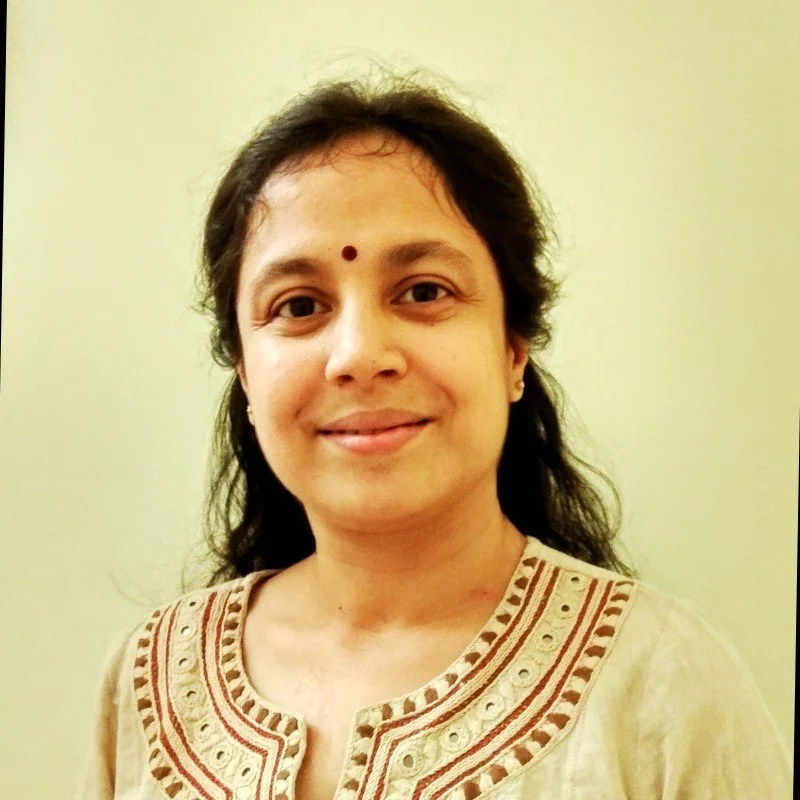
Hi, I design things people didn’t know they needed but suddenly can’t live without.
Part researcher, part storyteller, part pixel perfectionist, I turn messy ideas into smooth, human experiences.
I ask a lot of “why,” obsess over the tiny details, and stop only when it feels just right (and then… tweak it 10% more).
Work Experience
Canadian Imperial Bank of Commerce
June 2022 - Present
Conduct user research to gain insights into user behaviour, needs, and pain points. This research involves analyzing user data, market research and user synthesis after conducting stakeholder workshops to deliver a finalized product.
Key Responsibilities
Led end-to-end UX design processes, from user research and discovery to wireframing, prototyping, and high-fidelity UI delivery.
Conducted user research and usability testing, synthesizing findings into personas, journey maps, and actionable insights
Designed user flows and interaction models to improve usability and streamline complex financial workflows. Created low- and high-fidelity prototypes in Figma to support rapid iteration and feedback cycles in Agile environments.
Contributed to and evolved design systems and component libraries, ensuring consistency and scalability across products
Collaborated closely with product managers and engineering teams to define requirements and deliver feasible, user-centred solutions.
Translated complex business and technical requirements into intuitive, accessible user experiences.
Improved design efficiency by streamlining workflows and reducing rework through structured design processes
Canada Border Services Agency
June 2019 - June 2022
Crafting intuitive, visually appealing interfaces that resonate with the app's target audience by conducting user research, developing wireframes and prototypes, and ensuring seamless user journeys.
Key Responsibilities
Applied user-centred design methodologies to create intuitive digital and communication experiences for federal programs
Conducted user research and analysis to identify pain points and improve information architecture and usability
Created user flows, wireframes, and structured visual systems to enhance clarity of complex policies and processes
Led the development and governance of a multi-department design system, improving consistency and efficiency across teams.
Ensured accessibility and inclusive design standards across all platforms and deliverables. Collaborated with cross-functional stakeholders, including product, content, and development teams, to align design solutions with user and business needs.
Delivered design solutions in Agile project environments, adapting quickly to evolving requirements
“Explore my Medium articles for insightful perspectives on diverse topics. From tech trends to creative design, there's something for everyone. Join the journey of knowledge and discovery!”
Medium Articles
Recommendations
-
![]()
Alison Kapala
Thorough and dependable, she excels in completing tasks. Her dedication, self-motivation, and methodical approach underscore her capabilities. Her continuous eagerness to learn is impressive. Beyond work ethic, her engaging personality is noteworthy.
-
![]()
Hossein Boroji
Jenn’s adaptability in dynamic settings, collaboration with diverse skill sets, and punctuality highlight her versatility. With unwavering commitment, she excels in managing evolving design demands and consistently delivers remarkable results.
-
![]()
Trina Chakrabarti
It has been an absolute pleasure working with Jennifer. Her designing skills coupled with her passion and commitment is rare to find. Her compassion that drives her to work for child rights deserves special mention. wishing her the very best
-
![]()
Shrikanth Hugar
Demonstrating strong creative and technical skills, she's a valuable project contributor. Beyond her pleasant demeanor, Jennifer adeptly presents creative solutions to intricate challenges, showcasing her quick and sharp thinking.
-
![]()
prashant Acharya
Jennifer’s exceptional sensitivity to design and aesthetics stood out. Despite being humble and down-to-earth, she served as a role model for learning, consistently motivating herself to achieve her goals effectively.